用 WebAssembly 和 Gifsicle 构建 GIF 优化工具
原文:GIF optimization tool using WebAssembly and Gifsicle
作者:Simon Willison · 发布时间:2026-03-02
原文最后修改:2026-03-02 译文版本:v0.1
译文说明
本文为 Simon Willison《Agentic Engineering Patterns》系列中《GIF optimization tool using WebAssembly and Gifsicle》的示范中文版。标题采用“用 WebAssembly 和 Gifsicle 构建 GIF 优化工具”,没有硬译成更别扭的“使用 WebAssembly 和 Gifsicle 的 GIF 优化工具”,因为这篇的重点不是给工具下定义,而是拆解作者如何通过 Prompt 把这样一个工具做出来。正文继续沿用本项目既定术语约定,将 Coding Agent 统一译为“编码智能体”,并保留 Gifsicle、WebAssembly、WASM、Emscripten、LICEcap、Claude Code、Rodney、Playwright、Selenium、agent-browser、gif-optimizer.html、uvx rodney --help、/tmp、lib/、gifsicle.wasm 等工具名、产品名、文件名、目录名与命令原文;文中的 Prompt 和后续补充 Prompt 继续保留英文原文,以保留其可执行输入属性。
正文
所属主题:实战案例 上一篇:交互式解释 下一篇:我常用的 Prompt
我喜欢在自己的网络文章里放一些动画 GIF 演示,通常是用 LICEcap 录的。在《交互式解释》那一章里就有一个例子。
这些 GIF 往往会很大。我试过一些用来优化 GIF 文件体积的工具,而我最喜欢的是 Eddie Kohler 写的 Gifsicle。它会通过识别各帧中没有变化的区域、只存储差异部分来压缩 GIF;还可以选择缩减 GIF 的颜色表,或者施加可见的有损压缩,以进一步减小体积。
Gifsicle 是用 C 写的,默认界面是命令行工具。我想要一个 Web 界面,这样我就能直接在浏览器里用它,并且直观看到、对比不同设置的效果。
于是我在 Claude iPhone app 里,用 iPhone 上的 Claude Code for web,针对我的 simonw/tools 仓库给了下面这段 Prompt:
gif-optimizer.html
Compile gifsicle to WASM, then build a web page that lets you open or drag-drop an animated GIF onto it and it then shows you that GIF compressed using gifsicle with a number of different settings, each preview with the size and a download button
Also include controls for the gifsicle options for manual use - each preview has a “tweak these settings” link which sets those manual settings to the ones used for that preview so the user can customize them further
Run “uvx rodney --help” and use that tool to tray your work - use this GIF for testing https://static.simonwillison.net/static/2026/animated-word-cloud-demo.gif
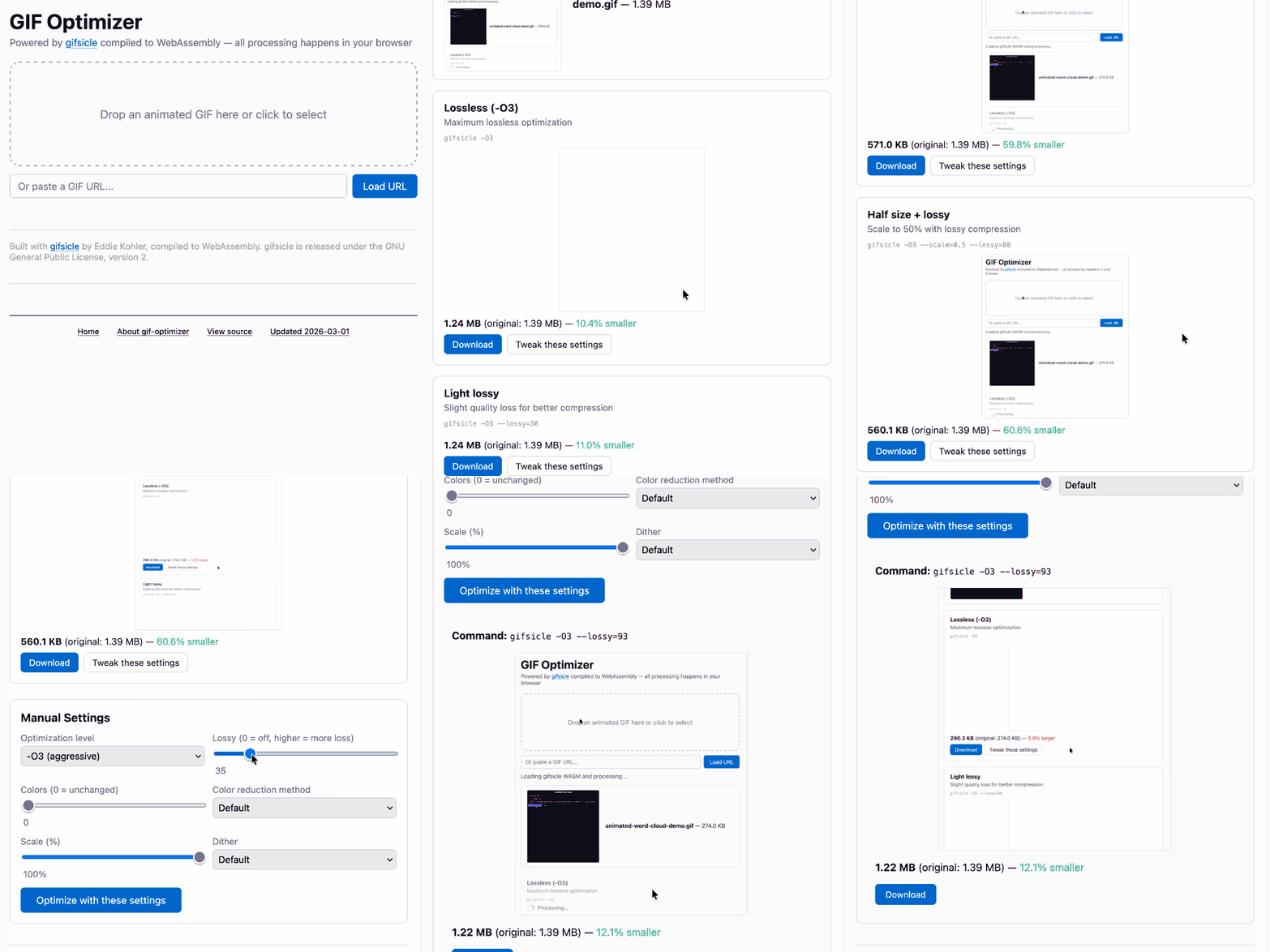
它最后做出来的是这个。原文这里还配了一段我用这个工具优化过的动画 GIF 演示。
下面我们把这段 Prompt 一段一段拆开看。
gif-optimizer.html
第一行只是告诉它,我想创建的文件叫什么名字。这里只给一个文件名就够了——我知道当 Claude 在仓库里跑 ls 的时候,它会理解这里每个文件都代表一个不同的小工具。
我这个 simonw/tools 仓库目前还没有 CLAUDE.md 或 AGENTS.md 文件。我发现,智能体只要扫一遍现有文件树,再看看那些相关文件里的代码,通常就足以抓住这个仓库的大致结构和风格。
Compile gifsicle to WASM, then build a web page that lets you open or drag-drop an animated GIF onto it and it then shows you that GIF compressed using gifsicle with a number of different settings, each preview with the size and a download button
这里我其实对 Claude 已有的知识做了很多假设,而事实证明这些假设都成立了。
Gifsicle 现在已经差不多有 30 年历史,是一款被广泛使用的软件。我相信,只要直接提它的名字,Claude 就足以找到对应代码。
“Compile gifsicle to WASM” 这一句,其实干了非常多的活。
WASM 是 WebAssembly 的缩写,也就是让浏览器能够在沙箱里安全运行已编译代码的那项技术。
把 Gifsicle 这样的项目编译成 WASM,并不是一件简单的事。它通常需要一整套复杂工具链,而这里一般都会涉及 Emscripten 项目。要把这些东西跑通,往往得经过大量试错。
编码智能体特别擅长做试错!很多时候,它们可以一路硬试到把问题解出来;要是换成我,遇到第五个看不懂的编译错误时,大概就已经放弃了。
我以前已经很多次见过 Claude Code 把 WASM 构建问题搞定,所以我对这次能成其实相当有信心。
“then build a web page that lets you open or drag-drop an animated GIF onto it” 说的是一种我在很多别的工具里都用过的模式。
HTML 文件上传本来就能完成文件选择,但如果要做一个更顺手的界面,尤其是在桌面端,最好还是允许用户把文件直接拖进页面上一个醒目的拖拽区域。
要把这个交互搭起来,需要一点 JavaScript 来处理事件,也需要一些 CSS 来做拖拽区域的样式。它不算复杂,但也足够多出一点工作量,以至于平时我未必会自己补上。可一旦写成 Prompt,这部分成本几乎就等于零了。
原文这里展示了最终界面截图;那个界面之所以长成那样,也和 Claude 偷瞄了我现有的 image-resize-quality 工具有关。
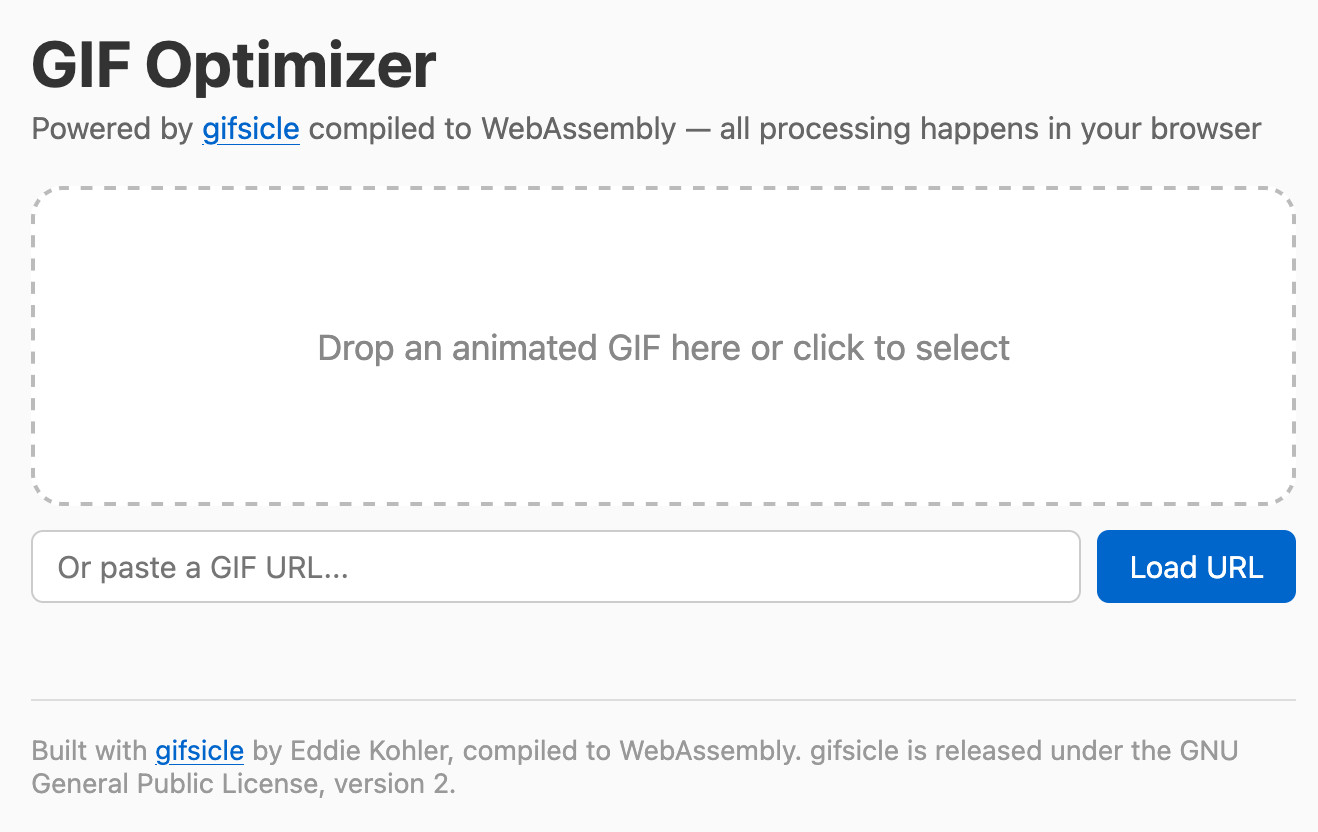
我并没有要求它加上 GIF URL 输入框,而且我其实也不太喜欢这个设计,因为它只有在目标 GIF 的 URL 开了 CORS 头时才能工作。我大概会在后续更新里把它删掉。
“then shows you that GIF compressed using gifsicle with a number of different settings, each preview with the size and a download button” 描述的是这个应用最核心的功能。
我没有费心去定义自己到底想要哪一组设置——根据我的经验,Claude 在替我挑这些参数时,品味通常已经够好了;如果它第一轮猜得不理想,我们之后总还能再改。
把文件大小显示出来很重要,因为这整个工具的目标,本来就是围绕“优化体积”。
根据我以前的经验,只要我要求“download button”,它通常就会把对应的 HTML 和 JavaScript 机制一并接好,这样用户一点击,就会弹出文件保存对话框;比起非得右键另存为,这种体验要方便得多。
Also include controls for the gifsicle options for manual use - each preview has a “tweak these settings” link which sets those manual settings to the ones used for that preview so the user can customize them further
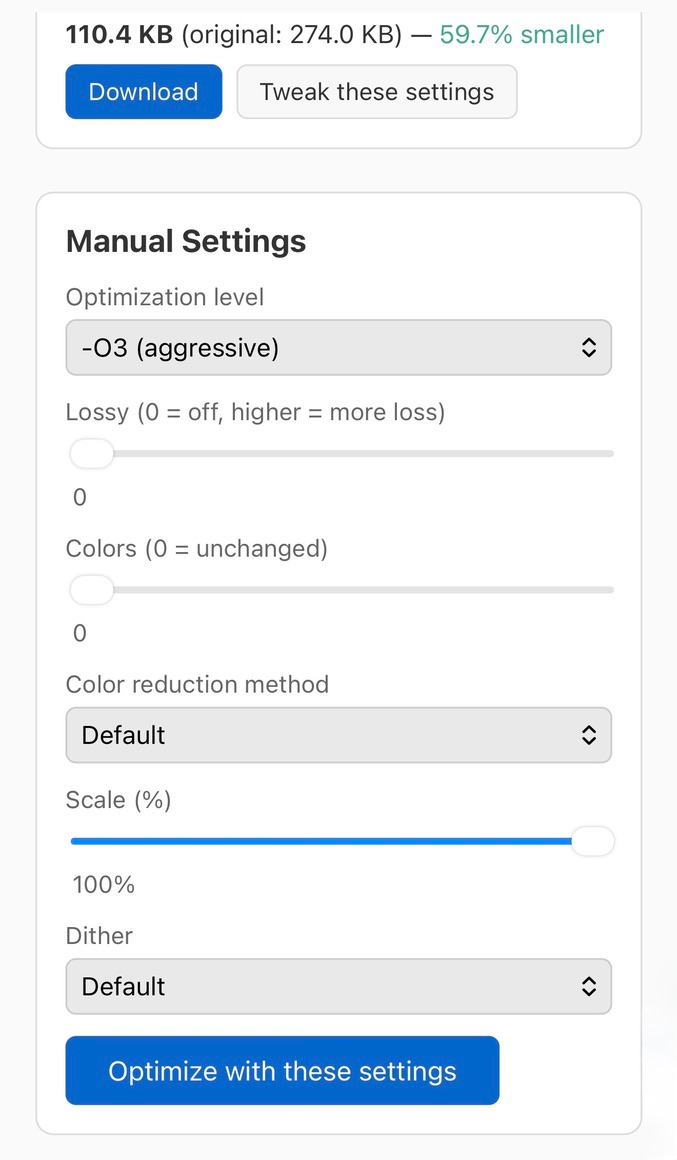
这其实是个挺笨拙的 Prompt——毕竟我当时是在手机上打字——但它已经足够把我的意图传达给 Claude,让它把我要的东西做出来。
原文这里展示的是最终工具的移动端截图。每张图片旁边都有一个 “Tweak these settings” 按钮;点下去之后,就会把下方那组手动设置项和滑杆更新成该预览当前使用的参数。
Run “uvx rodney --help” and use that tool to tray your work - use this GIF for testing https://static.simonwillison.net/static/2026/animated-word-cloud-demo.gif
只要你能确保编码智能体在开发过程中拥有测试自己代码的能力,它们的表现就会好得多。
测试 Web 界面的方法有很多种——Playwright、Selenium 和 agent-browser 就都是很可靠的选择。
Rodney 是我自己做的一个浏览器自动化工具。它装起来很快,而且它的 --help 输出本来就是按“把智能体教会怎么用这个工具”来设计的。
这次效果也非常好——你可以在那份会话记录里看到 Claude 如何使用 Rodney,并修掉它自己发现的一些小 bug,例如:
The CSS
display: noneis winning over the inline style reset. I need to setdisplay: 'block'explicitly.
后续 Prompt
当我和 Claude Code 一起工作时,我通常会盯着它正在做什么,这样一来,只要我发现方向需要调整,就能在它还没跑远之前把它拽回来。我也经常会在它工作途中想到一些新点子,然后直接插进队列里。
Include the build script and diff against original gifsicle code in the commit in an appropriate subdirectory
The build script should clone the gifsicle repo to /tmp and switch to a known commit before applying the diff - so no copy of gifsicle in the commit but all the scripts needed to build the wqsm
我是在注意到它为了把 Gifsicle 跑进 WebAssembly 已经投入了非常多精力之后,才补了这段话的,其中还包括对原始源码打补丁。这里是它后来加进仓库里的 patch 和 build script。
我知道那个仓库里本来就有一套“支持性文件应该放在哪里”的既有模式,只是我一时想不起来具体是什么了。所以我只说了一句“in an appropriate subdirectory”,Claude 就自己推断出了该放哪儿——它找到了并沿用了现有的 lib/ 目录。
You should include the wasm bundle
这句可能其实没那么必要,但我想绝对确保编译出来的 WASM 文件已经被提交进仓库里了。那个文件后来是 233KB。我通过 GitHub Pages 在 tools.simonwillison.net 上托管 simonw/tools,所以我希望这个工具不需要本地重新构建也能直接工作。
Make sure the HTML page credits gifsicle and links to the repo
这纯粹只是礼貌问题!我经常会在别人的开源项目外面包一层 WebAssembly 封装,所以我也喜欢确保他们能在最终页面里得到署名。
Claude 后来在这个工具的页脚里加上了下面这段:
Built with gifsicle by Eddie Kohler, compiled to WebAssembly. gifsicle is released under the GNU General Public License, version 2.